
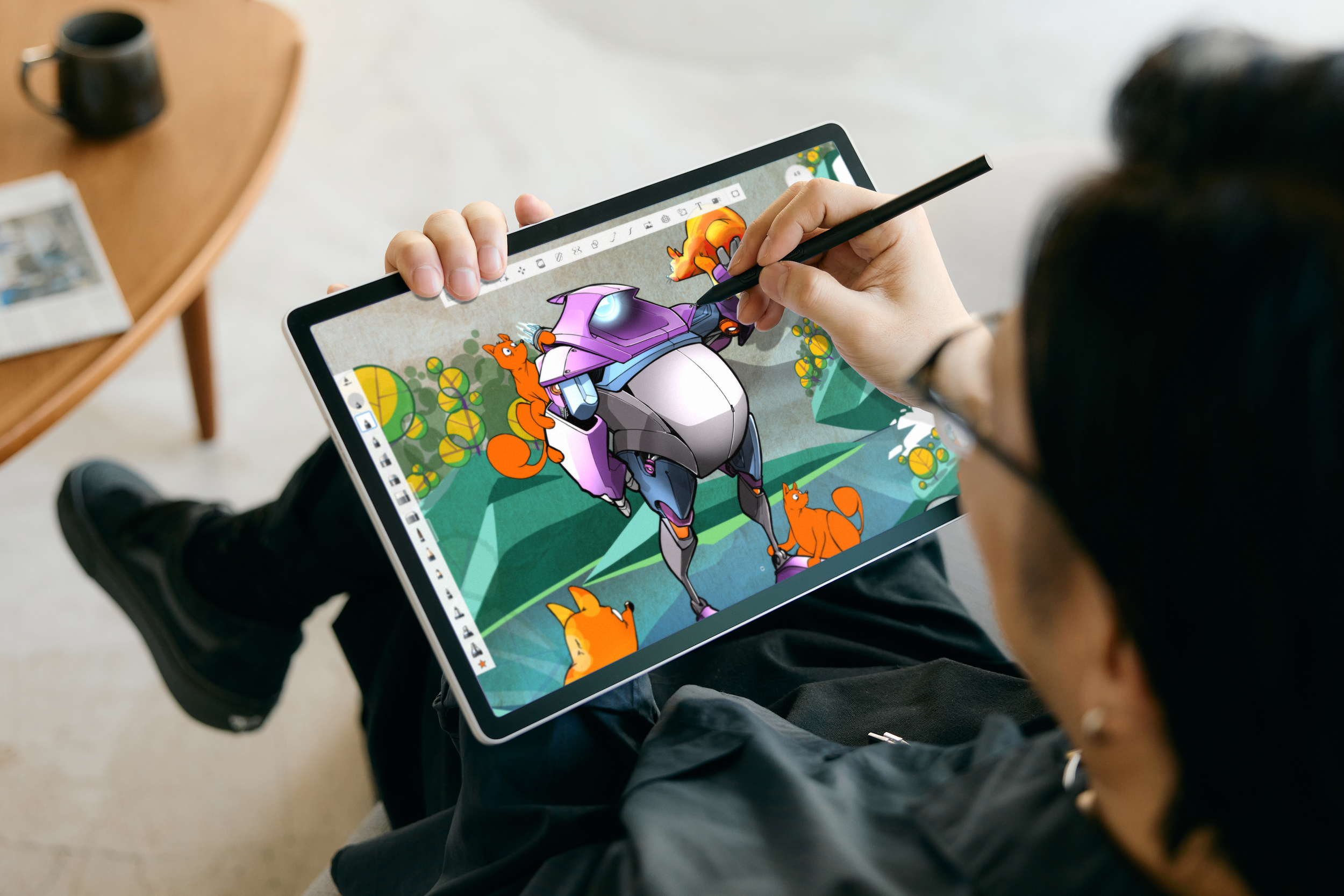
Wacom MovinkPad Pro + Sketchbook
Special Offer
Sketchbook, in partnership with Wacom, is pleased to offer a 30-day free trial of the Premium Bundle exclusively for MovinkPad Pro 14 and MovinkPad Pro EVA Edition customers.
The MovinkPad Pro is a portable drawing pad designed for digital art, brought to you by the same company that offers the Cintiq Pro line of pen displays used by professional artists.
We love it for its stunning OLED screen and premium textured glass that offers a tactile pen-on-paper drawing experience.
Pair it with Sketchbook and the Premium Bundle as the ultimate on-the-road art studio, with professional-grade features and functionality for advanced digital art techniques.
Features included in the Sketchbook Premium Bundle
More brushes

Import brushes from our Extras catalog or that other artists have shared. Create brushes with your own custom shapes and textures. Export brushes to share with others. Duplicate brushes, and organize brushes and brush sets. Randomize brushes between strokes when you draw.
More colors

Import and export your own stunning color palettes. Leverage color harmonies: split complimentary, analogous, triad and tetrad. Create your own custom gradients, and have extra default gradients. Extract color palettes and select color from reference images.
More tools
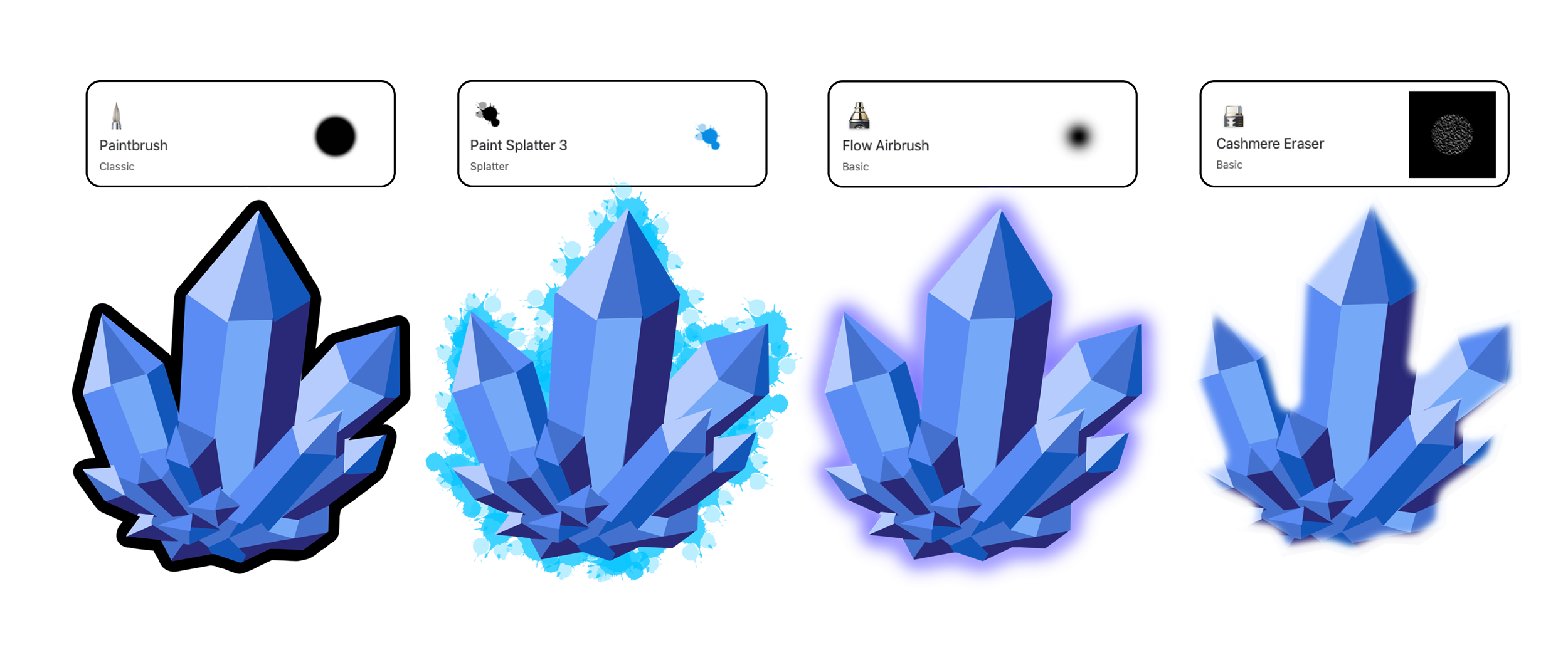
Dynamically fill regions using Lasso Fill to quickly block out shapes or as powerful addition to your coloring workflow. Use Draw Outline to apply a stroke of the active color and brush to the selection path.
Layer grouping

Use layer grouping to better organize your work.
Layer groups make it easier to navigate your canvas, particularly for those of you who like to work with lots of different layers.
Clipping masks and alpha masks

Clipping masks and alpha masks are fantastic ways to easily blend and manage the content of your canvas across different layers. They are flexible, allowing you to alter the visible results such as experimenting with texture or color without making more permanent changes to your art.
Canvas size and resolution

Adjust the size of your canvas after you’ve created it. Increase the size of the canvas to have more room available for drawing, or crop to reduce unneeded white space. If you plan to print your work, you can set the file DPI at the needed resolution for your printer and physical print dimensions.
Adjustments

Apply adjustment effects to your layers. Blur, sharpen, brightness, contrast, invert and grayscale can be applied and adjusted to provide the effect you want.
PDF export

Export multiple canvases or an entire Gallery album to a multi-page PDF. Choose the PDF quality and document size that meets your needs.
How to activate your trial of the Premium Bundle on your Wacom Movink Pad Pro 14 or MovinkPad Pro EVA Edition.
When you run Sketchbook on your Movink Pad Pro, open the Premium - Free Trial window from Sketchbook’s main menu or by tapping on any of the orange stars. Tap the “Start Free Trial” button to start your trial.
FAQ
Do I need to have a Google Play account to activate the trial?
If your Movink Pad Pro includes Sketchbook on the home screen, you do not need to be signed in to Google Play to use the free features or to activate the trial.
Do I lose my saved art when the free trial expires?
Only the Premium Bundle features get disabled at the end of the trial period. All your saved sketches remain and can be opened and edited.
Is it possible to extend the trial period?
No, once the 30-day free trial period has elapsed, the trial cannot be re-activated.
If I am running the trial, do I lose it if I update to a newer version of Sketchbook in Google Play?
Updating the app will not interrupt the expiry date of the trial.
I do not have a Wacom Movink Pad Pro, but would like access to the 30-day trial.
This trial offer is only available on the Wacom Movink Pad Pro 14 and MovinkPad Pro EVA Edition, coming soon to the Wacom Movink Pad. It is not available on other device types.
I have a both a Movink Pad Pro and another Android device. Will my trial on the Movink Pad Pro also unlock on my other device(s)?
The trial is not transferable to other devices, even if they are connected to the same Google Play Account.