
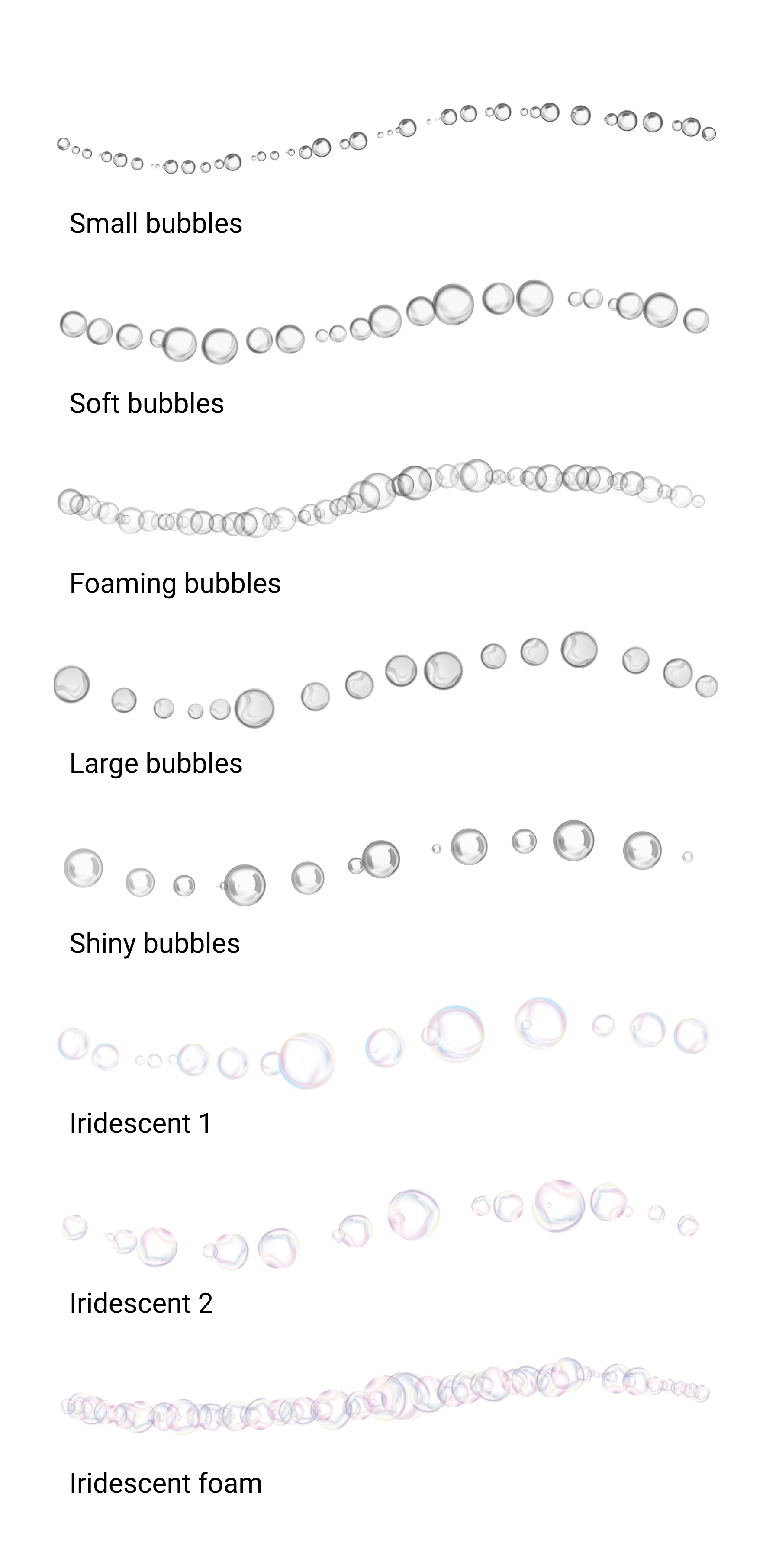
8 whimsical bubble brushes
Add a bit of fun to your brush library with bubble brushes. The first five brushes will use the active color; the last three are set in iridescent soap bubble tones (to disable and use the active color, go to Advanced brush properties and disable “With Color”).
Most of these brushes also have high settings for randomness in size, opacity, and rotation - play around with the advanced settings to get exactly the look you want.
Installation:
Open the Brush Library
Tap the upper right corner of the active brush set to access the menu
Select Import Brush Set
Navigate to the downloaded .skbrushes file
Tap Open
For more details on installation, read the article in our Help Center
Compatible with:
Sketchbook for Android (v6.0 and higher with the Premium Bundle)
Sketchbook for iOS (v6.0 and higher with the Premium Bundle)
Sketchbook Pro 9.0 and higher for macOS
Sketchbook Pro 9.0 and higher for Windows