
Format must be sbnews.zip or sbnews_test.zip.
Zip container protects the data and makes it a compliant format for storage providers.
To view, upload or delete json files:
(must be done in Chrome, does not work in Safari)
In edit mode, select the LINK or create a link
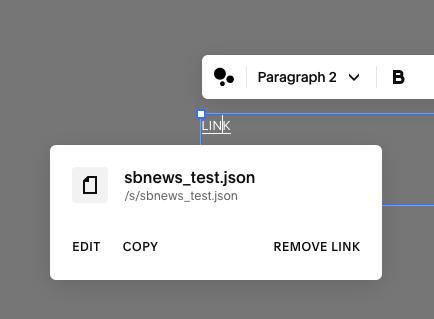
Tap on EDIT and it will open a window that lists all FILES
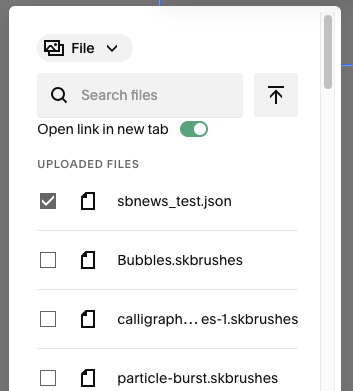
Use the Search to find sbnews.zip if it doesn’t appear at the top of the list
DELETE any existing file first
Uploading a second file with the same name will not work. The file would get assigned a unique name on the server and not match the configurationUse the Upload icon beside search field to upload a new zip
UPLOAD WITH BELOW LINK:
TEST DOWNLOAD WITH BELOW LINK:
PUBLIC LINK: https://sketchbook.com/s/sbnews.zip
TEST LINK: http://sketchbook.com/s/sbnews_test.zip